Best video editing software in 2020
Best video editing software in 2020
The best video editing software under $100 lets you make great home movies for little investment.

You don't have to spend thousands of dollars on the best video editing software. That's right: You can take all those videos languishing on your smartphone, DSLR or compact camera, and for $100 or less, turn it into a professional-looking movie that you can share with with family and friends.
Over the years, video editing software has gone from the esoteric and expensive to accessible and affordable. Features, such as animated titles, special effects, and more — think lightsabers — and are now no more than a few mouse clicks away for anyone editing video on their laptop or desktop.
However, even though the best video editing software is only around $100, there's still a lot of factors to consider, such as if you're using a Mac or PC, and your overall comfort and experience level.
What is the best video editing software?
All of the video editing software we tested costs around $100 or less. Unless you're creating the next film in the Marvel Cinematic Universe, you don't need to spend more than a Benjamin on video editing software.
Among the software we've reviewed, only one — Adobe Premiere Elements 2020— is truly cross-platform, and it emerged as our top pick. Despite its lack of emerging popular technologies, like 360-degree video handling and multicam editing features, it's the easiest video editor to learn and use, and offers plenty of advanced functions, such as guided edits and a revised home screen.
Plus, Premiere Elements also works with Adobe's other products, and the company often offers both Premiere Elements and Photoshop Elements as a bundle.
For Windows users, CyberLink PowerDirector 18 is the best video editing software. It features a dazzling array of tricks and treats, and has an interface that's easy to grasp for novices. Plus, PowerDirector also supports editing 360-degree videos, too.
If your needs are even simpler, you may want to consider the best free video editing software.
Mac users should check out Apple’s iMovie, which competes only with cross-platform free apps and Adobe Elements, is the obvious choice for the best Mac video editing software, thanks to its outstanding output, themes and trailers, macOS integration, and features that encourage good moviemaking skills. And it's free!
PC users who want a free app should check out HitFilm Express for its abundant cinematic capabilities and stylish interface.
The best video editing software you can buy today
1. Adobe Premiere Elements 2020
The best video editing software overall
Works with both Macs and PCs
Easy to learn and use
New artificial intelligence features now include video
4K support and video stabilization
No 360-degree or VR support
No multicam support
When it comes to user-friendliness, sophisticated features and ways to output your video, the best video editing software under $100 is the cross-platform Adobe Premiere Elements. For 2020, Adobe imported its artificial intelligence Sense.ai to make it easier to perform edits. Its Guided Edits feature remains a great tool for demystifying the entire process for novice filmmakers, and there's now additional support for 4K resolutions and stabilized video.
However, Adobe only made some minor improvements over the previous year, so if you have a recent version, you may not see the need to upgrade. And, it still lacks features such as 360-degree video editing, or support for multicam editing. But Adobe's program is the most well-rounded of all the video editing software we've tested.
Read our full Adobe Premiere Elements 2020 review.

2. CyberLink PowerDirector 18
Best video editing software for Windows users
Square, 1:1 aspect ratio is great for social media
Track-order flexibility is more intuitive for newcomers
New motion-graphic titles are handy for beginners
Nested-projects update adds more creative functions
Several features (including 4K video editing, audio scrubbing, library preview) available for Ultimate version only
CyberLink PowerDirector is the best video editing software for Windows users, in that it offers a dazzling array of fun, advanced video editing features wrapped in a stunning, easy-to-use package. New features include a refreshed interface and the ability to edit and export video in a social-app-friendly 1:1 ratio. While PowerDirector is a consumer product, it appeals to the most creative and adventurous of amateur filmmakers.
CyberLink offers two versions: PowerDirector Ultra ($99) and PowerDirector Ultimate ($129). Several features (including 4K video editing, audio scrubbing, library preview) available for Ultimate version only. Additionally, Cyberlink has a subscription version, PowerDirector 365, currently available for $52 per year, and includes PowerDirector Ultimate, as well as unlimited access to plugins, backgrounds, and soundclips, as well as 50GB of online storage.
Read our full review of CyberLink PowerDirector 18.

3. Apple iMovie 10.1.8
Best video editing software for novice Mac users
Simple interface
Abundant audio tools
Supports 4K
Lacks multicam, motion tracking and 360-degree features
Limited output controls
Mac only
Apple iMovie is the best video editing software for novice filmmakers on Macs, combining professional trailers and themes, abundant special effects and an easy-to-learn interface. In addition, it's free, so this is a great place to start, or if you need to do simple video edits. Version 10.1 of iMovie added 4K editing and sharing, as well as extended handling to video shot at 1080p and 60 fps. Recent updates tweaked the interface and added Touch Bar support for the latest MacBooks.
Update: iMovie is now on version 10.1.12. Recent updates have disabled sharing videos to iMovie Theater and Facebook; you have to save your movies to iCloud Photos to watch them on other devices including Apple TV.
Read our full Apple iMovie review.
4. HitFilm Express
Best free video editing software
More traditional interface
Reusable templates
Animated text editor
Some popular features require an add-on purchase
Publishing features are not intuitive
Hitfilm Express is on our list of the best video editing software not just for the fact that it's free, but it's surprisingly capable, too. However, while its interface has become more intuitive, it may be a bit steeper of a learning curve than with other video editing software.
For version 12, the free HitFilm Express has a redesigned, more intuitive interface and plenty of powerful features. It's also been updated to support threaded rendering on all systems and GPU decoding on Intel-based Windows systems. Those with Intel and Nvidia graphics cards will see huge improvements in performance. Add to the fact that it doesn't cost anything, and you get the best free video editing software.
Read our full Hitfilm Express review.
5. Corel VideoStudio Ultimate
Great video editing software for novices on Windows
Extensive 360-degree-editing features
Split-screen video facilitates elaborate video collages
Broad 3D-text support
Windows only
Certain advanced features got really dense
Corel has long been a competitor to Adobe for video editing software, and continues that rivalry with VideoStudio Ultimate, an outstanding editing package for beginners on the Windows platform.
VideoStudio is a powerful but easy-to-learn app for anyone who wants to make simple videos quickly without fussing around with complex controls. Its spare but inviting interface offers a huge array of tools, including 4K support, 360-degree video editing, multicam support, more than 2,000 effects, enhanced lens-correction tools, and 3D text editing.
Editor's Note: Corel VideoStudio 2020 has been released; stay tuned for our review.
Read our full Corel VideoStudio review.
6. VideoPad
Best video editing software for YouTubers
Intuitive and easy to learn
Supports 360-degree camera editing and output
Works on Macs and PCs
Lacks some advanced features like multi-cam editing and motion tracking
Mac and Windows free versions work differently
Certain features time out of the free non-commercial program
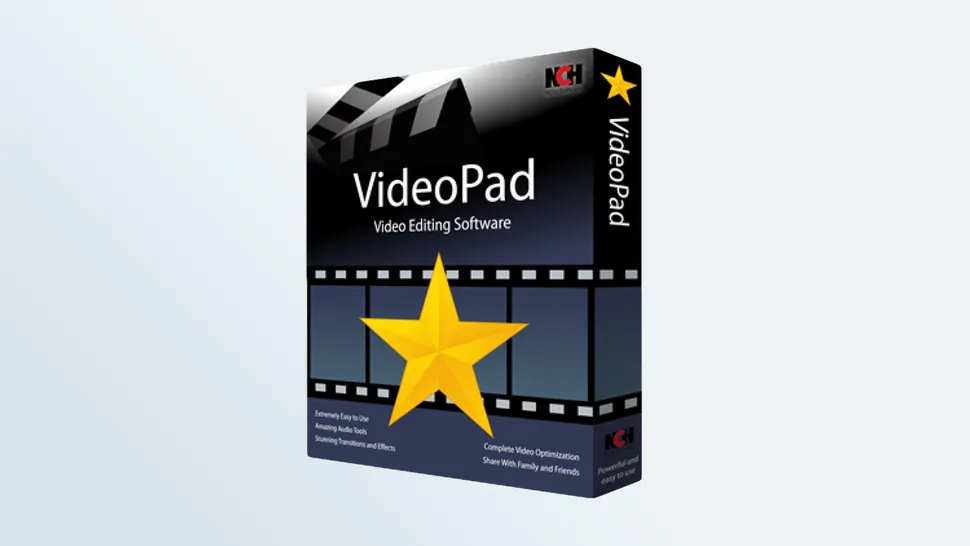
VideoPad is one of the few video editing software programs that works on both Macs and PCs, which broadens its appeal and reach. You can download a non-commercial version of VideoPad for free, but a Home Edition ($39) and Master's Edition ($69) offer more features. For example, the Master's Edition gives you unlimited audio tracks and plugins, while the Home Edition only lets you use two audio tracks and no plugins.
While VideoPad lacks the flashy, whiz-bang appeal of some commercial apps, it’s still a rock-solid choice for simple video editing. The app offers a number of YouTube choices ranging from 480p to 4K, as well as Facebook, Flickr, Dropbox and Google Drive.
Read our full VideoPad review.

7. DaVinci Resolve 15
Best video editing software for advanced enthusiasts
Cross platform for Mac, Windows and Linux
Intuitive interface for most routine functions
Exquisitely deep app for color grading, compositing and audio production
A powerful computer is needed for high-end graphics functions
Learning curve for advanced features
No direct export to social media
A powerful pro-level, cross platform app, you’ll want to use DaVinci Resolve on a system with discrete graphics to get the most out of this video editor. The latest version of DaVinci incorporates Fusion, previously a stand-alone application, which brings with it four high-end video-production modules for editing, color correction, audio production, and video effects and motion graphics.
DaVinci is quite powerful, but has a bit of a learning curve. If its 256-page manual doesn't intimidate you, high-level enthusiasts will find a lot of tools at their disposal.
Note: DaVinci Resolve is now on version 16, and includes such new features as a Neural Engine that uses machine learning for such things as facial recognition and speed warp. It also has a new Cut Page, a streamlined interface for editors who need to turn projects around quickly.
Read our full DaVinci Resolve review.
How to choose the best video editing software for you
Free or Fee?
There’s no reason for the occasional video jockey to fork over any cash, as there are plenty of free apps available for both Windows and Mac. But while the deciding factors for free and paid software may appear to be based on cold hard cash, that’s not the whole story.
People who are looking for a more powerful editor with a variety of built-in resources, responsive technical support and more would be better off dropping some cash on a video editing program.
However, there’s a third option: You can download software such as VideoPad or HitFilm (which offer all of the basics) for free, and then purchase additional features à la carte as your experience and needs grow.
How we test video editing software
We tested more than a dozen programs — paid and free — on consumer Mac and Windows laptops for more than 100 hours, to see which are the best for editing, as well as sharing your videos with friends and family.
We evaluated all of the software based on functionality, ease of use, performance, sharing options and new features in the latest versions. We also judged the packages based on real-life uses for a number of categories, including best overall, best free app, best for beginners, best for YouTube maestros, best for Mac users and best for Windows platforms.
Performance results are important, but they’re not critical components of software evaluations, because depending on your hardware setup, your mileage will vary. By comparison, ease of use, interface and features carry more weight than export clock speed. Nonetheless, as a single measure among many, speed testing provides valuable comparative information.
As several of the programs on this page have been updated with newer versions since their initial review, we are currently in the process of re-testing them. At the same time, we are upgrading our testing platforms, from laptops with integrated graphics to those with discrete GPUs. This will better reflect the improvement in performance from apps that can take advantage of discrete graphics cards. Stay tuned for the results.
Comments
Post a Comment